
🌻Solarpunk | Multiplayer invite does not work on Steam. What can I do?
If you click Invite Friends and nothing happens, or if your friend does not receive the invite, please check the Steam Overlay settings first.
The Steam Overlay must be enabled so Solarpunk can open the Steam Friends list when using the Invite Friends button.
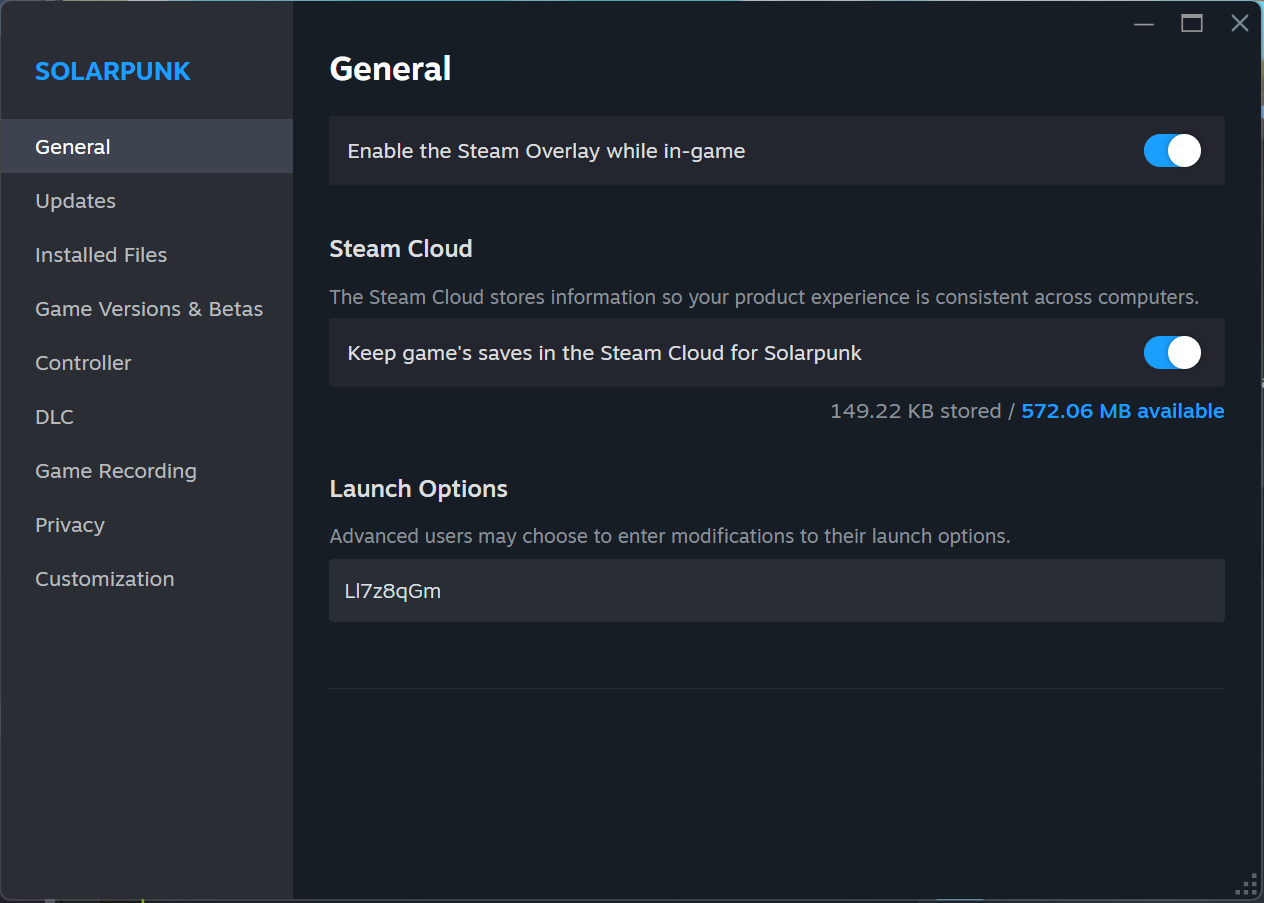
1. Check the Steam Overlay setting for Solarpunk
In your Steam Library:
Solarpunk → Properties → General → Enable the Steam Overlay while in-game
Please make sure this option is enabled.
If the option is greyed out or locked, the Steam Overlay may be disabled globally in Steam.
2. Check the global Steam Overlay setting
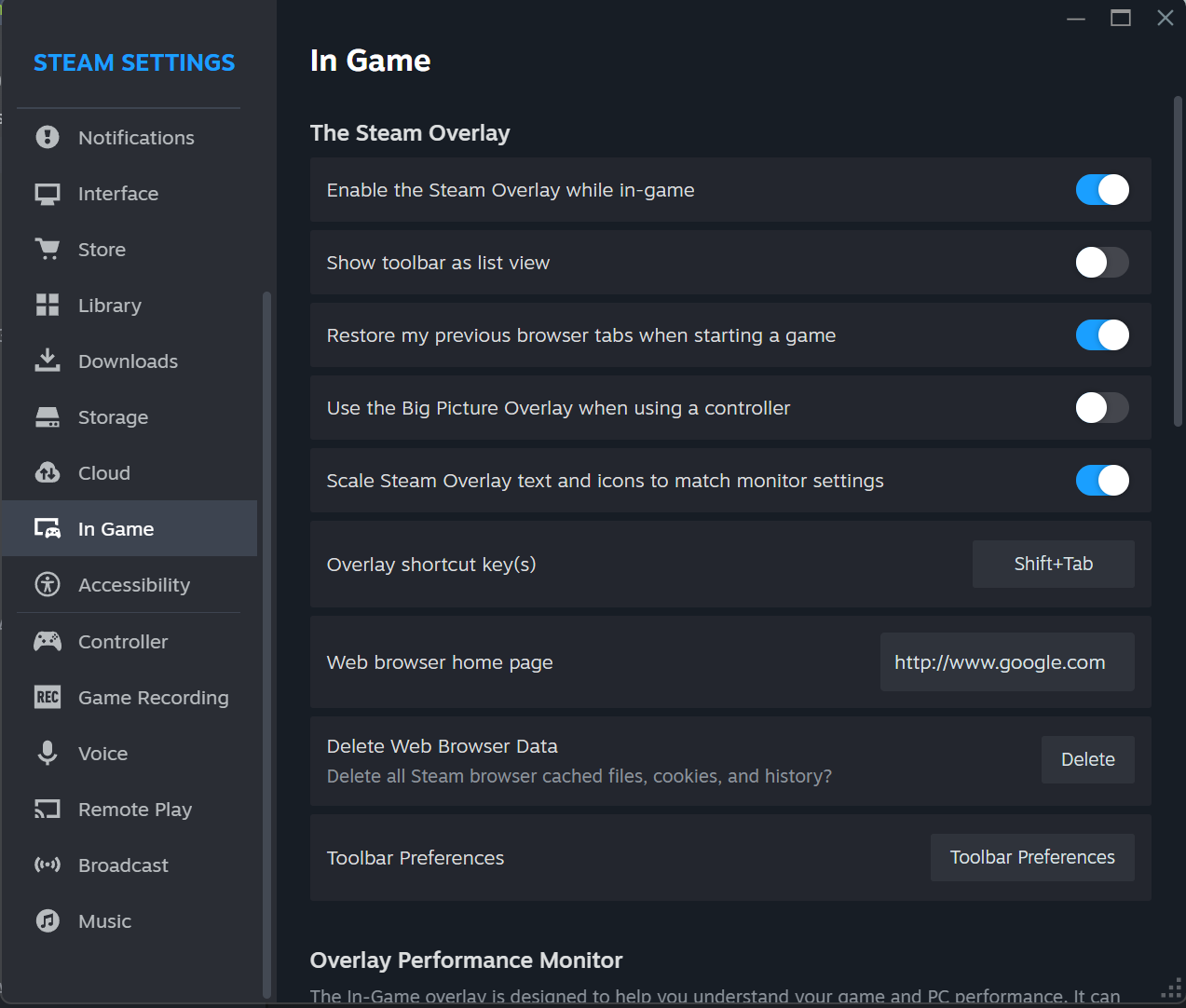
In Steam, go to:
Steam → Settings → In Game → Enable the Steam Overlay while in-game
Please make sure this option is enabled as well.
After changing this setting, restart Solarpunk and try inviting your friend again.
3. If Steam says “Invited!” but your friend still receives nothing
In some cases, Steam may show “Invited!”, but the invite is still blocked or not delivered properly.
This can happen if Steam treats the communication as suspicious. To work around this, open a Steam chat with your friend and write a few normal messages to each other. After that, try sending the invite again.
Once the invite works correctly, your friend should see a large Solarpunk banner in the Steam chat with a Play Game button.
4. If it still does not work
If multiplayer invites still do not work after checking the Steam Overlay settings, please send us a bug report with as much information as possible.
Helpful information includes:
- Does clicking Invite Friends open the Steam Friends list?
- Does Steam show “Invited!”?
- Does your friend receive anything in Steam chat?
- Are you or your friend using a VPN?
- Are any firewall or antivirus tools active?
- Are both players using Steam?
- Did restarting Steam and Solarpunk help?
You can report the issue through our dedicated Solarpunk bug tracker:
https://form.asana.com/?k=dZrefE0QnHhmuUy1kQMwcQ&d=466283151033027
Thank you for your help. Multiplayer issues can be tricky to reproduce, so detailed reports help us a lot. 🌻